Growing Engineers in the Agentic Tooling Era

Over the last few posts we’ve explored how AI tools are reshaping the development process. First, we talked about working with AI as a form of modern pair programming—two minds, one keyboard. Then we looked at how frameworks like the BMad Method introduce structure into AI-assisted development. But there’s another important question emerging for engineering leaders: how do we continue to develop engineering talent in a world where tools like Claude and GitHub Copilot can write large amounts of code?

The concern often sounds something like this: If AI can generate code, how will junior engineers learn? Will they skip the fundamentals? Will there still be meaningful work for early-career developers? It’s a reasonable concern, but it may also be based on a misunderstanding. The reality is that the core process for developing engineering talent hasn’t changed nearly as much as people think.
The Problem: Fear That AI Will Replace the Learning Curve

Historically, the way engineers learned on the job was simple and very practical.

A new graduate or junior developer would join the team and receive a small amount of onboarding:

  • How the codebase is structured
  • How deployments work
  • The team’s coding standards
  • The tools and frameworks being used

Then the real learning began.

Managers or senior engineers would assign progressively larger tasks:

  1. Add a field to a form
  2. Build a small feature
  3. Extend a module
  4. Own a subsystem

Through this process, junior engineers learned by doing. They wrote code, made mistakes, received feedback, and gradually built confidence.

When people look at AI today, they worry that this progression disappears. If an AI can generate the code instantly, does the learning opportunity disappear with it?

The answer is no. The learning model is still fundamentally the same.

The Solution: AI as a Learning Amplifier

The key shift is that the junior engineer now works with an AI assistant during the process.

Instead of writing every line of code manually, they collaborate with tools like Claude or Copilot to generate the initial implementation.

But the responsibility for understanding and validating the code remains with the engineer.

The workflow might look like this:

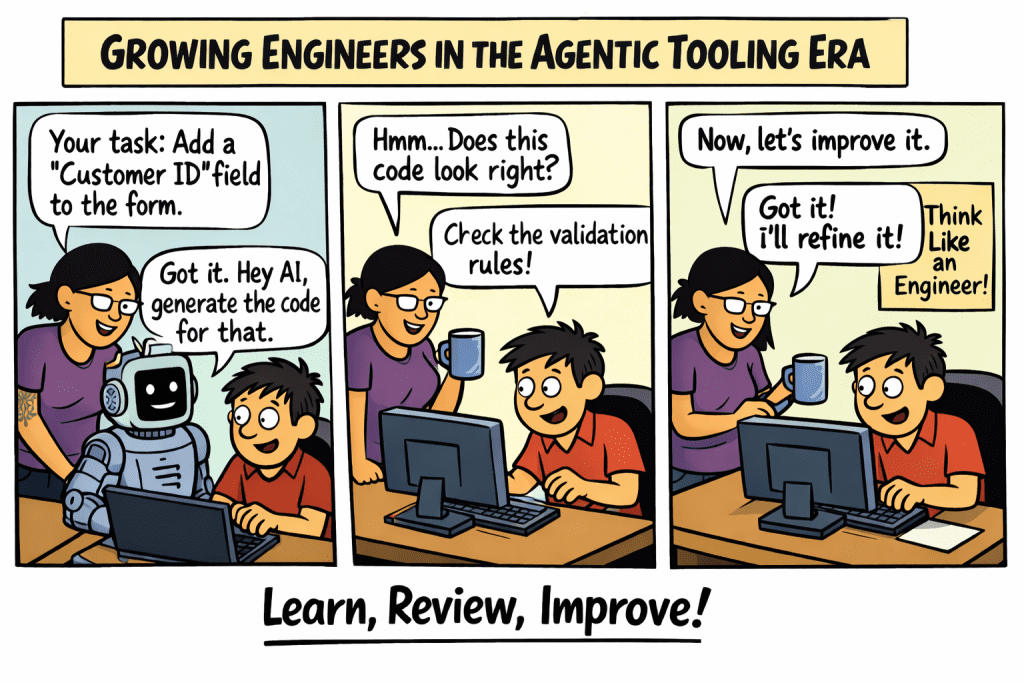
Step 1: Assign the same small task

The manager still assigns the same type of work:

“Add a new field to this form and store it in the database.”

Step 2: Use AI to generate a starting point

The engineer asks the AI:

“Generate the code needed to add a ‘Customer ID’ field to this React form and persist it to the API.”

Step 3: Review and validate

The critical learning happens here.

The engineer must confirm:

  • Does the code follow our coding standards?
  • Does it integrate correctly with the existing module?
  • Are validation rules correct?
  • Does it handle edge cases?

Step 4: Improve and refine

If the generated code doesn’t align with the team’s approach, the engineer refactors it.

This mirrors the traditional learning loop: Attempt → Review → Improve

The difference is that the first attempt may be generated by AI, but the learning still comes from understanding and improving the result.

Evidence: Why This Model Still Works

In practice, many engineering teams experimenting with AI-assisted development are seeing something interesting.

Junior engineers often become productive faster.

Instead of spending hours stuck on syntax or documentation, they can:

  • Explore solutions quickly
  • Understand patterns faster
  • Iterate on ideas in real time

This allows them to spend more time on higher-value learning activities:

  • Understanding architecture
  • Improving code quality
  • Thinking about system design

In other words, AI removes some of the friction around writing code, but it doesn’t remove the need to understand the code.

The same progression still happens:

Traditional GrowthAI-Assisted Growth
Add a fieldGenerate and validate a field
Build a formGenerate and refine a form
Build a moduleDesign and orchestrate a module

The tasks remain the same—the tools simply accelerate the first draft.

What Changes for Engineering Leaders

The biggest shift may not be for developers at all—it may be for engineering managers.

If junior engineers can move faster with AI assistance, it becomes possible for a single manager or senior engineer to support more developers than before.

Instead of reviewing every line of code, leaders focus on:

  • Architectural guidance
  • Code quality standards
  • System design decisions
  • Mentoring engineers on judgment and tradeoffs

In this environment, the role of leadership evolves from code oversight to engineering coaching.

The goal becomes teaching engineers how to:

  • Prompt effectively
  • Evaluate generated code
  • Align outputs with engineering standards
  • Think critically about design decisions

The Future: Same Journey, Better Tools

Despite all the excitement around AI, the core journey of becoming a great engineer hasn’t changed.

Developers still learn by:

  • Solving real problems
  • Iterating on solutions
  • Receiving feedback
  • Gradually taking on more responsibility

The difference is that the tools available today can dramatically accelerate the process.

For organizations building teams in the agentic tooling era, the opportunity is clear:

  • Continue hiring and developing junior engineers
  • Integrate AI into the learning process
  • Focus mentorship on judgment rather than syntax

Because even in a world of AI-generated code, great software still depends on great engineers.

And the best way to build great engineers is still the same as it’s always been:

Give them real problems to solve, support them as they learn, and let them grow.
Your AI Writes Fast. BMad Makes Sure It Builds Right

Over the past year, a quiet shift has been happening in how software gets built. Tools like Claude, ChatGPT, and GitHub Copilot are changing the development process in ways that feel surprisingly familiar. For many engineers, the experience resembles something developers have practiced for years: pair programming. The difference now is that one side of the “pair” is an AI assistant, instead of two developers sitting side by side, it’s a human collaborating with an AI, sharing a single keyboard and building software together.

The challenge is that most people still think of AI coding tools as autocomplete on steroids. When used that way, asking AI to simply do the work — the results feel inconsistent or shallow. What many teams haven’t yet realized is that these tools work best when treated like a real development partner. The shift is subtle but powerful: instead of asking AI to generate code in isolation, you collaborate with it the same way you would with another engineer sitting beside you.

AI as a Pair Programming Partner

Traditional pair programming involves two roles:

  • Driver — the person typing at the keyboard
  • Navigator — the person reviewing, thinking ahead, and suggesting improvements

When working with AI tools like Claude, the same pattern emerges naturally. The developer remains the driver, making architectural decisions, steering the problem, and validating outcomes. The AI becomes the navigator, helping explore options, identifying edge cases, generating scaffolding, and reviewing logic.

The interaction might look something like this:

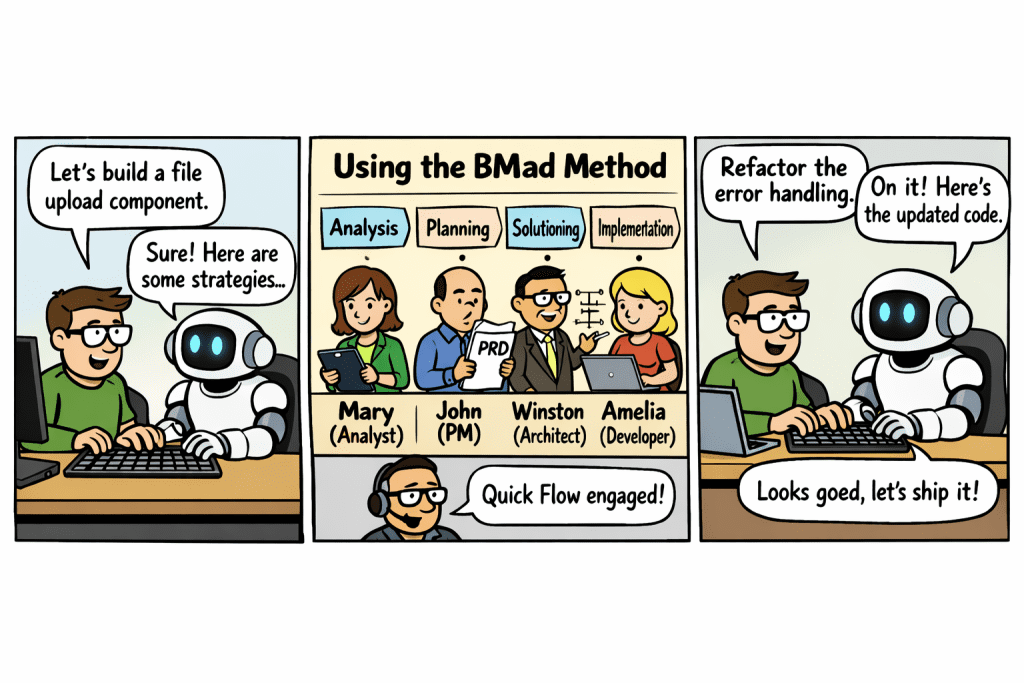
  1. Developer frames the problem — “I’m building a React component that handles document uploads and validation.”
  2. AI suggests approaches — architecture patterns, libraries, validation strategies.
  3. Developer refines the direction — “Let’s use TypeScript and handle file size and MIME type validation.”
  4. AI generates an initial implementation.
  5. Developer critiques and improves — “This logic needs better error handling.”
  6. AI helps refactor or extend.

This loop continues until the feature is complete. The human remains responsible for judgment, while the AI accelerates thinking and execution.

Working this way changes how development feels day to day. AI eliminates much of the mechanical overhead — boilerplate, documentation lookup, and scaffolding can be generated instantly. When you’re stuck on a design decision, AI can quickly explore multiple options, acting as a brainstorming partner. It can evaluate code continuously, identifying edge cases, suggesting refactoring opportunities, and highlighting potential bugs. For developers exploring new stacks, it can explain concepts in real time while generating working examples.

The loop becomes shorter and more collaborative:

Traditional workflow: Think → Search → Read Docs → Write Code → Debug

AI pair programming workflow: Think → Discuss with AI → Generate → Refine Together

When Speed Needs Structure

This is where many teams hit a second challenge. Once you’ve experienced how fast the AI pair programming loop moves, a new problem emerges: speed without structure can lead to messy architectures, unclear requirements, and rework later. When developers rely too heavily on prompting without a clear workflow, the process can become chaotic.

The real opportunity isn’t just coding faster — it’s creating a repeatable process where AI helps move work from idea to production in a disciplined way. The best developers in this new world won’t simply be the ones who write the most code. They’ll be the ones who know how to direct the system, ask the right questions, and collaborate effectively. And to do that consistently across a team, you need more than a good instinct for prompting. You need a framework.

That’s where the BMad Method comes in.

Structured AI Collaboration with the BMad Method

The BMad Method — which stands for Build More Architect Dreams — is an AI-driven development framework that takes you from ideation and planning all the way through to implementation. Rather than treating AI like a code generator you prompt ad hoc, BMad gives you specialized AI agents, guided workflows, and structured context management that adapts to your project’s complexity, whether you’re fixing a bug or building an enterprise platform.

It works with any AI coding assistant that supports custom system prompts, including Claude Code (the recommended option), Cursor, and Codex CLI.

The key insight behind BMad is that AI agents work best when they have clear, structured context. Without it, agents make inconsistent decisions. BMad builds that context progressively across phases, so each step informs the next.

How the BMad Workflow Is Structured

BMad organizes development into four phases, each producing documents that feed into the next.

Phase 1 — Analysis (optional) Before committing to building anything, you can explore the problem space. BMad provides workflows for brainstorming, market research, domain research, and capturing a strategic product brief. This phase is optional but valuable when requirements aren’t yet clear.

Phase 2 — Planning Define what to build and for whom. This is where you create a Product Requirements Document (PRD) that captures functional and non-functional requirements, and optionally a UX spec if user experience decisions need to be made explicit.

Phase 3 — Solutioning Decide how to build it. This phase produces an architecture document with decision records, breaks requirements into epics and stories, and includes an implementation readiness check before any code is written, a deliberate gate that prevents the “just start coding” trap that leads to rework.

Phase 4 — Implementation Build one story at a time. BMad’s developer agent implements stories, a code review workflow validates quality, and a retrospective captures lessons learned after each epic.

Quick Flow: When You Don’t Need the Full Process

BMad is pragmatic. Not every task warrants four phases of planning. For bug fixes, refactoring, small features, and prototyping, there’s a parallel track called Quick Flow that takes you from idea to working code in just two steps:

  1. bmad-quick-spec — A conversational planning process that scans your codebase, asks informed questions, and produces a tech-spec.md file with ordered implementation tasks, acceptance criteria, and a testing strategy.
  2. bmad-quick-dev — Implements the work against the spec, runs a self-check audit against all tasks and acceptance criteria, then triggers an adversarial code review before wrapping up.

If Quick Flow detects that scope is larger than it first appeared, it offers to escalate automatically to the full PRD workflow — without losing any work already done.

The Role of Specialized Agents

One of the things that makes BMad distinct from a generic AI workflow is that it uses named, specialized agents for different roles:

AgentRole
Mary (Analyst)Brainstorming, research, product brief
John (Product Manager)PRD creation and validation
Winston (Architect)Architecture and technical decisions
Bob (Scrum Master)Sprint planning and story creation
Amelia (Developer)Implementation and code review
Barry (Quick Flow)Quick spec and quick dev
Paige (Technical Writer)Documentation

Each agent operates within a structured workflow rather than responding to open-ended prompts. This is what makes output predictable and consistent, rather than dependent on how well you phrased your last message.

The Difference Structure Makes

Teams experimenting with AI-assisted development typically go through a predictable evolution:

Stage 1 — Prompting for code. Developers ask AI to generate snippets or functions. Results are fast but inconsistent.

Stage 2 — AI as pair programmer. Developers collaborate interactively with AI to build features. Better, but still ad hoc.

Stage 3 — Structured AI workflows. Teams introduce frameworks like BMad to manage the process end to end.

The leap from stage two to stage three is significant. Without structure, AI development tends to produce inconsistent code quality, unclear design decisions, and duplicated logic. With a framework like BMad, you get predictable development cycles, better architectural outcomes, and artefacts that help onboard new engineers faster.

What This Means for Modern Development Teams

AI is changing how software gets written, but the bigger transformation is how software gets designed and delivered.

The pair programming analogy that opened this post is still the right mental model: the human as driver, the AI as navigator. But BMad takes that model and makes it work at scale, across a whole team, across a whole project lifecycle, not just in a single coding session.

Pair programming with AI gives developers speed. Frameworks like the BMad Method give teams discipline. Together they create something more durable than either alone:

Human creativity + AI acceleration + structured workflow.

Your AI partner is available 24/7, can explore thousands of possibilities instantly, and never gets tired. The question is whether your process is good enough to make the most of that.

Two minds. One keyboard. A system built to last. 

Learn more and get started at docs.bmad-method.org

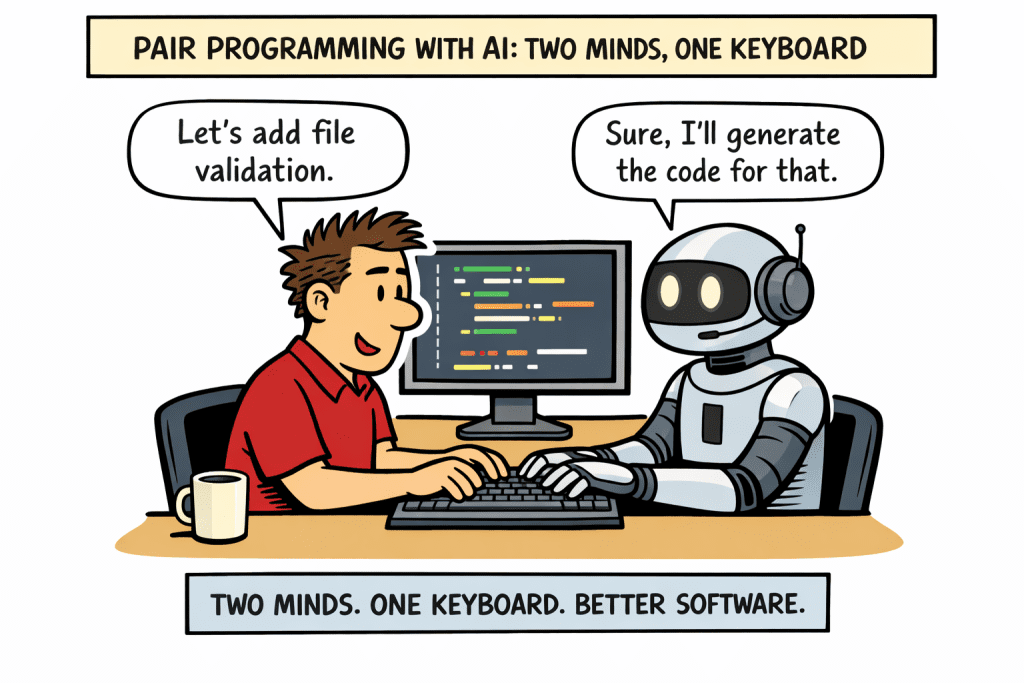
Pair Programming with AI: Two Minds, One Keyboard

Over the past year, a quiet shift has been happening in how software gets built. Tools like Claude, ChatGPT, and GitHub Copilot are changing the development process in ways that feel surprisingly familiar. For many engineers, the experience isn’t completely new, it resembles something developers have practiced for years: pair programming. The difference now is that one side of the “pair” is an AI assistant. Instead of two developers sitting side by side, it’s a human developer collaborating with an AI, sharing a single keyboard and building software together.

The challenge, however, is that most people still think of AI coding tools as autocomplete on steroids. They expect them to simply generate code or answer questions. When used this way, the results can feel inconsistent or shallow. What many teams haven’t yet realized is that these tools work best when treated like a real development partner. The shift is subtle but powerful: instead of asking AI to do the work, you collaborate with it the same way you would with another engineer sitting beside you.

The Solution: AI as a Pair Programming Partner

Traditional pair programming usually involves two roles:

  • Driver – the person typing at the keyboard
  • Navigator – the person reviewing, thinking ahead, and suggesting improvements

When working with AI tools like Claude, the same pattern emerges naturally.

The developer remains the driver, making architectural decisions, steering the problem, and validating outcomes. The AI becomes the navigator, helping explore options, identifying edge cases, generating scaffolding, or reviewing logic.

The interaction might look something like this:

  1. Developer frames the problem
    “I’m building a React component that handles document uploads and validation.”
  2. AI suggests approaches
    It may propose architecture patterns, libraries, or validation strategies.
  3. Developer refines the direction
    “Let’s use TypeScript and handle file size and MIME type validation.”
  4. AI generates an initial implementation
  5. Developer critiques and improves the code
    “This logic needs better error handling.”
  6. AI helps refactor or extend

This loop continues until the feature is complete.

The important part is that the human remains responsible for judgment, while the AI accelerates thinking and execution.

What Changes When You Work This Way

Treating AI like a pair programmer changes how development feels day-to-day.

1. Faster Iteration

AI eliminates much of the mechanical overhead in development. Boilerplate, documentation lookup, and scaffolding can be generated instantly.

2. A Second Brain

When you’re stuck on a design decision, AI can quickly explore multiple options. It becomes a brainstorming partner.

3. Constant Code Review

AI can evaluate code continuously:

  • identifying edge cases
  • suggesting refactoring opportunities
  • highlighting potential bugs

4. Learning While Building

For developers exploring new stacks, whether it’s React, Supabase, or a new API, AI can explain concepts in real time while generating working examples.

Evidence: How Teams Are Already Using AI Pair Programming

Across engineering teams, this pattern is emerging naturally.

Many developers using tools like Claude or Copilot report that their workflow now looks like this:

  • Describe the feature in natural language
  • Generate an initial implementation
  • Iterate with AI on improvements
  • Validate and finalize the code

Instead of searching documentation or browsing Stack Overflow for answers, developers interact conversationally with their development partner.

Even experienced engineers are adopting this approach because it amplifies their productivity without removing control. AI becomes a force multiplier, not a replacement.

A helpful way to visualize the workflow:

Traditional workflow

Think → Search → Read Docs → Write Code → Debug

AI pair programming workflow

Think → Discuss with AI → Generate → Refine Together

The loop becomes shorter and more collaborative.

Why This Matters for the Future of Software Development

The biggest misconception about AI in development is that it will replace engineers. In reality, it’s transforming how engineers work together with machines.

The best developers in this new world won’t be the ones who simply write the most code. They will be the ones who know how to direct the systemask the right questions, and collaborate effectively with AI tools.

In many ways, AI is simply extending a practice developers already understand: pair programming. The difference is that your partner is now available 24/7, can explore thousands of possibilities instantly, and never gets tired.

For teams building modern applications, the opportunity is clear:

  • Treat AI like a collaborator, not a tool
  • Work in conversational loops rather than isolated coding sessions
  • Use AI to accelerate thinking, not just typing

The result isn’t just faster software development, it’s a fundamentally more interactive way of building software.

If you’re experimenting with AI tools today, try changing your mindset on the next feature you build. Instead of asking the AI to generate code, sit down with it like a colleague.

Two minds. One keyboard. Better software.